



Table of Contents Show
As PBR is a rather vague term for newcomers to computer graphics and the abbreviation brings with it its very own terminology, it is necessary to take a look behind the scenes in order to be able to apply it correctly. Put very simply, PBR refers to rendering techniques that describe the interaction between light and matter, based on physical principles familiar from the real world.
When is PBR PBR?
As the direct imitation of the real behaviour of light with matter in computer graphics is very computationally intensive, statistical approximations are used. This is why the term physically plausible – physically based – is used. A PBR lighting model of a renderer may bear the hip abbreviation if the following properties are given:
The lighting model uses a physically plausible function to define the reflection properties based on a microfacet theory.
The lighting model works in an energy-conserving manner.

The underlying light calculations take place in linear colour space.
The properties are more of a set of rules that can be extended rather than a fixed specification. This is why there are different implementations in modern renderers that offer artists two basic working methods: on the one hand, metallic roughness with the core inputs base colour, metalness and roughness and, on the other hand, specular glossiness with diffuse colour, specular and glossiness. The former principle is widely used by professional renderers. Autodesk’s Arnold works according to the principle, as does Disney’s Principled Shader, and Pixar’s Renderman from version 21 allows you to choose between one of the two. As PBR is not exclusively limited to offline rendering (ray and path tracing), there are further simplifications for the real-time sector (rasterisation).
Among the real-time framework key players, Unity 5 also offers a choice between the two working methods. Epic’s Unreal Engine, on the other hand, works with metallic roughness.
Regardless of which workflow is used, artists can customise the visual representation of objects using their materials in PBR with parameters based on physical principles, some of which are displayed in a user-friendly way in the user interface. A major advantage of PBR is that the visual result is retained in all lighting scenarios – without tricks, gimmicks and hacks, as is the case with standard lighting models such as the Phong lighting model. This is because in the classic Phong model, the reflection behaviour is determined by dividing the light into three factors: Ambient, Diffuse, Specular – the basis is not physics or optics.

Artists also had to use their keen powers of observation to transfer optical properties to a texture virtually by hand for the classic lighting model. The cross-project visual consistency of all objects then had to be ensured manually by adjusting the textures, which often resulted in a set of different textures for the respective lighting areas.
The interplay between light and matter
A modern renderer with production experience that supports PBR usually has a PBR ecosystem. One example is the Arnold renderer from Autodesk, whose PBR ecosystem consists of specific materials and texture nodes, including light sources and rendering settings, followed by various other renderer-specific features.

A PBR over-material such as Arnold’s Standard Surface allows artists to stage objects largely based on physical parameters. Depending on the Arnold plug-in, up to 40 setting options are provided for artists. This is also reflected in the size of the material nodes which, when unfolded with normal scaling, dwarf a notebook screen with full HD resolution. A material can be seen as a shader programme that is filled with a large number of shaders. Simplified: The shader programme is a chest of drawers, while the filled drawers represent shaders. The shaders have certain shading models (lighting models), which will be discussed in more detail later.
In order to shed light on the subject for PBR newcomers, it is necessary to take a look at the basic physical principles mentioned above. In the field of optics, light is defined as an electromagnetic wave that is characterised by frequency and wavelength.
Physics interferes..
Within a vacuum, the electromagnetic wave would travel continuously – the simplest case. The exciting thing for PBR is what happens when the electromagnetic wave hits matter
tromagnetic wave encounters matter and interacts with it. When the electromagnetic wave hits atoms or molecules, they become polarised. The negative and positive particles form dipoles and are effectively pulled apart. The process primarily absorbs energy from the electromagnetic waves or, depending on the medium, they are deflected in different directions by the particles snapping back, whereby only part of the energy is absorbed and converted into heat energy.
As the interaction of the dipoles and the different electromagnetic waves in different media entails quite complex calculations – currently too complex for rendering calculations – wave optics is used, which offers abstractions and simplifications for the complex processes. One abstraction, for example, is the concept of a homogeneous medium with a uniform density in which the light beam travels. In a homogeneous medium, the light is not deflected and continues to travel as a beam of light.

The optical properties of the homogeneous medium are described by the refractive index (IOR), which is a complex number consisting of two values – refractive index and an imaginary part, the refractive coefficient. Put simply, the two numbers tell us how fast the light is travelling through the medium and how much energy is absorbed by the medium in the process.
IOR or Complex IOR?
In the Arnold standard material, only one value is generally used for the IOR, which artists are allowed to adjust. However, there is an Arnold text object called Complex IOR, which allows both values to be entered manually and also offers an artist-friendly mode in which the two values can be displayed and adjusted using pure colour values.
Correct values for refractive index and refractive coefficient for the realistic visualisation of different materials can be taken from websites such as Refractive Index Info and inserted into the Complex IOR Node if the mode has been set to Custom.
Another abstraction in wave optics is the concept of particles, which provide IOR discontinuity within a medium. A particle stands for a whole series of molecules and deflects light rays or absorbs energy according to the optical properties of the medium.
With the IOR in mind, it can be simply stated that the physical properties of a medium or PBR material in computer graphics are very closely linked to the optical properties of a material.
PBR categories
PBR materials are therefore divided into two basic categories in an artist-friendly way: conductors or metals (conductors) on the one hand and non-conductors (dielectrics) on the other. As semiconductors are rarely seen in applications in the entertainment industry, the third category of semi-conductors has been omitted. In the Arnold standard surface, a separate parameter called Metalness is available in the Specular Reflection field for the visualisation of metallic surfaces.
If the parameter is set to the value 1, the principle of the complex IOR applies. The display of a material is controlled on the one hand by the base colour and the specular colour. The former represents the reflection directly to the viewer, which is given the base colour of the respective metal and depends on the roughness, while the latter determines the reflection colour, taking into account the Schlick-Fresnel equation.
Metals instantly absorb light rays that are refracted and reflect the remaining light rays. Furthermore, metals have the ability to influence the colour of the reflection – certain wavelengths are absorbed and not reflected, so the reflection colour can vary. The interaction with solid matter or surfaces, which is of great importance for PBR, has already been touched on with metals.
One medium can be air, for example, which has its very own IOR. To better understand the interaction of light beams and surfaces, another concept called nanogeometry is introduced – irregularities that are as large as or smaller than the wavelength of the light beam. In reality, there are no perfect, one hundred per cent smooth surfaces. Even surfaces that appear smooth have irregularities at the atomic level, even when precious metals are ultra-polished.
However, as even the level of abstraction of nano-geometry is currently beyond the scope of the necessary calculations in computer graphics for applications in the entertainment industry – especially in the field of ray diffraction according to the Huygens-Fresnel principle – the basis of the renderer is used directly – ray optics.
Basis of modern renderers and building blocks of the PBR material
In ray optics, there are further abstractions and simplifications, such as the fact that geometric irregularities smaller than the wavelength of the light do not exist – the concept of nano-geometry is virtually non-existent and a one hundred per cent smooth surface is assumed.
If an incident beam of light – incident ray in technical jargon – hits the surface of an object, there are two basic behaviours that can be observed. On the one hand, the light beam is reflected from the object surface in a different direction in accordance with the law of reflection – for perfect (planar) surfaces, the angle of reflection is equal to the angle of incidence – and on the other hand, the light beam enters another medium from one medium and is refracted. Light rays are therefore deflected in two directions: once by reflection (light reflection) and refraction (light refraction).

Microgeometry
As part of the reflection, a further abstraction for the nanogeometry called microgeometry is integrated. This refers to irregularities that are significantly larger than the wavelength of the light beam. In technical jargon, an irregularity is also called a microfacet. Behind a microfacet is a small, perfectly aligned mirror whose surface normal is at right angles to the surface of the mirror. Based on the law of reflection, it is known that the angle of light incidence corresponds to the angle of reflection – measured at the surface normal. So if a rough surface is displayed, the microscopically small mirrors are aligned differently so that the scattering of the reflection rays is wider and a dull surface is visible, whereas in the case of crystal-clear reflections, the mirrors are perfectly aligned. Rough object surfaces generally have wider, matt-looking highlights. Smooth surfaces have a sharply defined highlight. The highlights of smooth object surfaces also appear clearer and give the viewer the impression of greater intensity, although the intensity of a rough and smooth surface has the same value. In the Arnold standard surface, roughness is available as a parameter for Specular and Coat Reflection. The latter is a further reflection level above the actual specular reflection. All roughness parameters can also be controlled via data textures. Artists draw textures, so to speak, whose information must not exceed or fall below the value range between 0 and 1. The textures must be processed in the linear colour range to avoid artefacts.
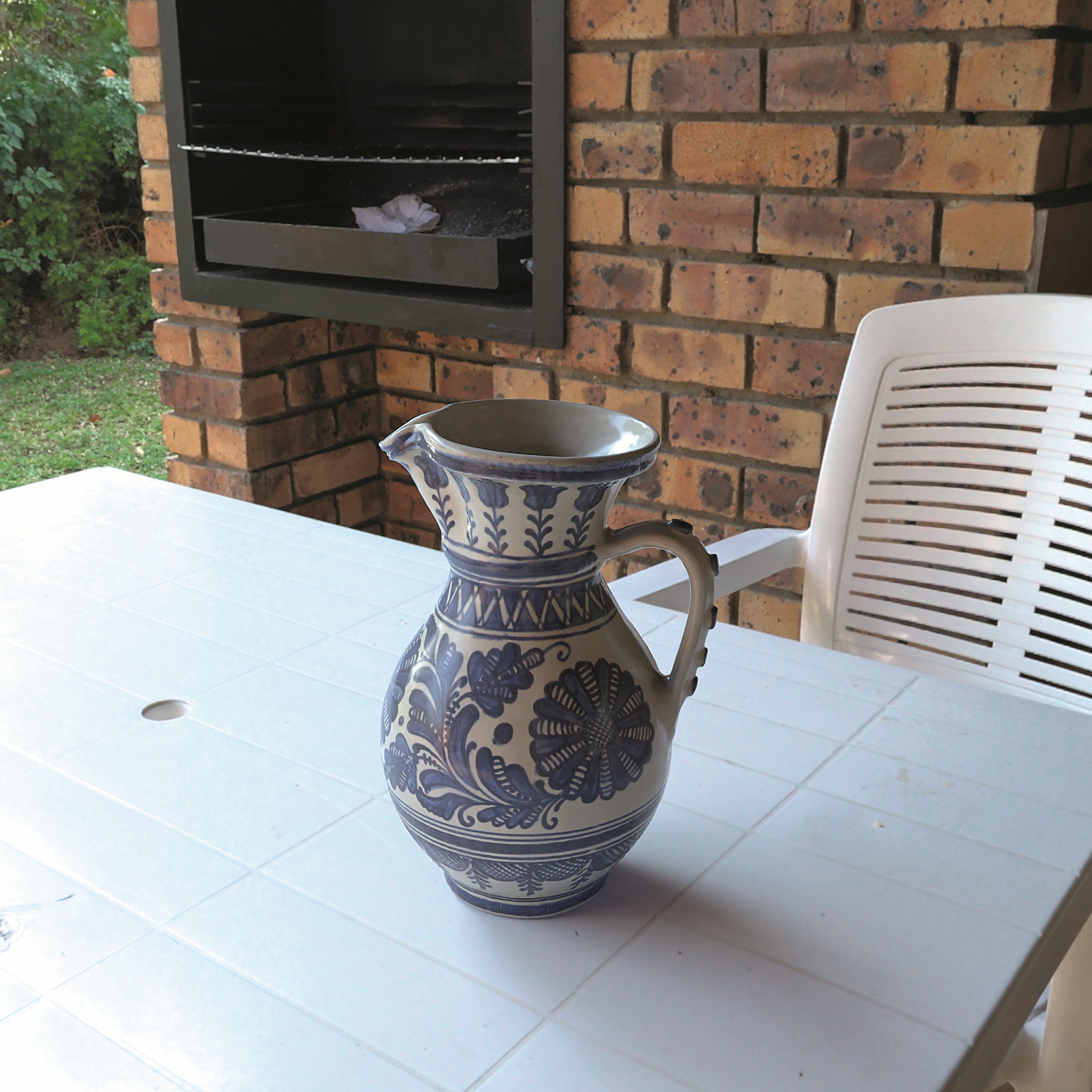
The scattering is upon us!
In addition to reflection and refraction, there are other observations. If light rays move through an inhomogeneous medium, the light rays are either distributed in the respective medium (light scattering) or absorbed (light absorption). If light rays are absorbed within a medium, the material surface automatically appears darker.
If light rays are distributed within an inhomogeneous medium, the direction of the light rays changes in random mode. The strength of the deviation of the different light rays is based on the optical properties of the medium. A classic example of the application of both concepts is the visualisation of glass surfaces – an empty glass is suitable. Behind it there is no beam distribution and low absorption of energy, the light beams pass through the medium.
If the example is extended by filling the glass with water and some milk, then there is a certain degree of ray distribution and the transparency suffers. It therefore plays a major role how thick the respective medium is – thickness in the transmission range and radius within the subsurface scattering of the Arnold standard surface – and how absorption and distribution behave accordingly. If materials are to be depicted that have a high radiation distribution and low absorption, the technical jargon refers to translucent materials (translucency/transmission).
Diffuse reflection
There is also diffuse reflection – base colour in the Arnold context, i.e. light rays that have been refracted and penetrate a certain material. The light rays are then distributed several times within the material below the surface. In the ideal case, the light rays emerge from the material into the initial medium again at the same point at which the light rays entered the object. For this case, Arnold has implemented a diffuse shading model that allows the roughness to be set on the basis of the base colour.

From a physical point of view, diffuse object surfaces are generally absorbent. This means that if light rays travel too long within an object below the object surface, they may be completely absorbed. If the light rays nevertheless emerge from the object, then they have had an exit not far from the light ray entry point. In this simplified case, the distance from the light entry point to the light exit point is of little importance and is neglected. If the representation of human skin is used as an example, then the effect must be calculated using a further model called subsurface scattering. In such a case, the distance between the entry and exit of light is of great importance. There are two fields within the standard material that allow the artist to control the two processes mentioned above.
Reflection properties of surfaces
Newcomers to PBR are often confronted with terms such as BSDF (Bidirectional Scattering Distribution Function), BRDF (Bidirectional Reflectance Distribution Function), BTDF (Bidirectional Transmittance Distribution Function) and BSSRDF (Bidirectional Subsurface Reflectance Distribution Function) – suffixes for certain shaders. The physical principles mentioned above must be transferred from physical space to mathematical space. The mathematical models are used as the basis for shading models (Cook-Torance, Ward, …).
BRDF
In very simplified terms, BRDF describes the reflective properties of a surface based on different coefficients. One of the coefficients is the result of the Microfacet Distribution Function – a widely used function is GGX, which is known for gloss points with a shorter peak (more compact and sharper gloss point) and a larger gradient towards the outside. The unevenness (microfacets) is used to define the roughness and made available to the artist in shaders with parameters called Roughness, Smoothness, Glossiness or Microsurface.
Another coefficient is the Fresnel factor, which can be used as an independent texture object in the Arnold Renderer, but is also firmly anchored in the standard surface. The Fresnel effect plays an important role and can be used to explain the aforementioned Base Colour and Edge Tint when rendering metals.
This is where Fresnel
This refers to the effect observed by physicist Augustin-Jean Fresnel that the amount of visible reflected light depends on the viewing angle. If a reflective surface such as a high-gloss table top is viewed from above – also known as F0 reflectance, reflection at 0 degrees – a minimal reflection of 2% to 4% is visible. If the viewing angle is reduced to an almost parallel viewing direction – the viewing angle is at the surface – the reflection increases, and at a 90-degree angle of incidence of light, the surfaces become a 100% reflector.
As mentioned at the beginning, there are important properties that BRDFs must have in order to bear the abbreviation PBR. Firstly, Helmholtz reciprocity must be observed, which means that the result of the BRDF must not change if the angle of light incidence and the angle of reflection are swapped. For this purpose, the result of a BRDF must always be positive.
The next important property is energy conservation. If one unit of light hits a surface, then no more than one unit of light may be reflected in different directions. The good news is that artists don’t usually have to actively worry about energy conservation as it is done automatically.
There are renderers that are equipped with materials that allow the effect to be switched off to create certain effects. Linear space rendering should not be forgotten.
All necessary calculations must be carried out in linear colour space, as correct values are available in the space. In the linear colour space, the gamma value is always 1.0.
In order for the eyes to perceive the visual result on the computer monitor as natural, an adapted colour space must be used and the gamma value must be shifted from 1.0 to 2.2, as is the case with sRGB, for example. Therefore, when importing the respective textures and calculating values, care should be taken to ensure that the linear colour space is used. The BRDF can now be linked with other functions.
And BTDF?

In contrast to BRDF, BTDF describes the permeability properties and, in conjunction with BRDF, forms an overarching concept for BSDF. BSSRDF describes the distribution properties of light beams, although this is a very simplified representation.
Digital stage shows to familiarise yourself with PBR
To get to know PBR better, we recommend realising a stage show based on Autodesk’s 3ds Max with the previously mentioned renderer Arnold. Arnold is available as a plug-in version for a number of other DCCs, such as Maxon’s Cinema 4D, Foundry’s Katana, SideFX Houdini and, of course, Autodesk’s Maya, followed by a standalone version.
The PBR ecosystem in 3ds Max is initialised by selecting Arnold as the renderer in the render settings – for active shade and production rendering mode. New selection options are then displayed in the Create Panel and Material Editor that have been specially designed for the Arnold renderer. These include highly specialised tools for use in professional media productions.
Setup
It is clear from the introduction that the key elements of the PBR stage show are the light sources, as the reflection based on the optical properties is crucial to the look. The simplest way to illuminate the stage impressively is by means of Image Based Lighting, or IBL for short. To do this, an ambient light must be created.
In the Create Panel in the field for the light sources, first switch to the “Arnold” drop-down menu. This shows the Arnold light sources, whereby a type of light builder is available for Arnold; a kind of over-light that can imitate different types of light. A light builder must therefore be created in the 3D scene and the type changed to “Skydome” in the settings within the Modify panel. Depending on the implementation, it is important to check the intensity and exposure values again and enter normal values so that no overexposure occurs.
As a rule, videos or images are recorded for product presentations as part of a product configurator and used in a configurator. To do this, a film or photo studio must first be laboriously set up.
With offline rendering using ray tracing or path tracing, as in this example with 3Dds Max in conjunction with Arnold, it is the quality of the rendering that counts, especially when it comes to high-priced products whose accurate colours and shapes are crucial for sales.
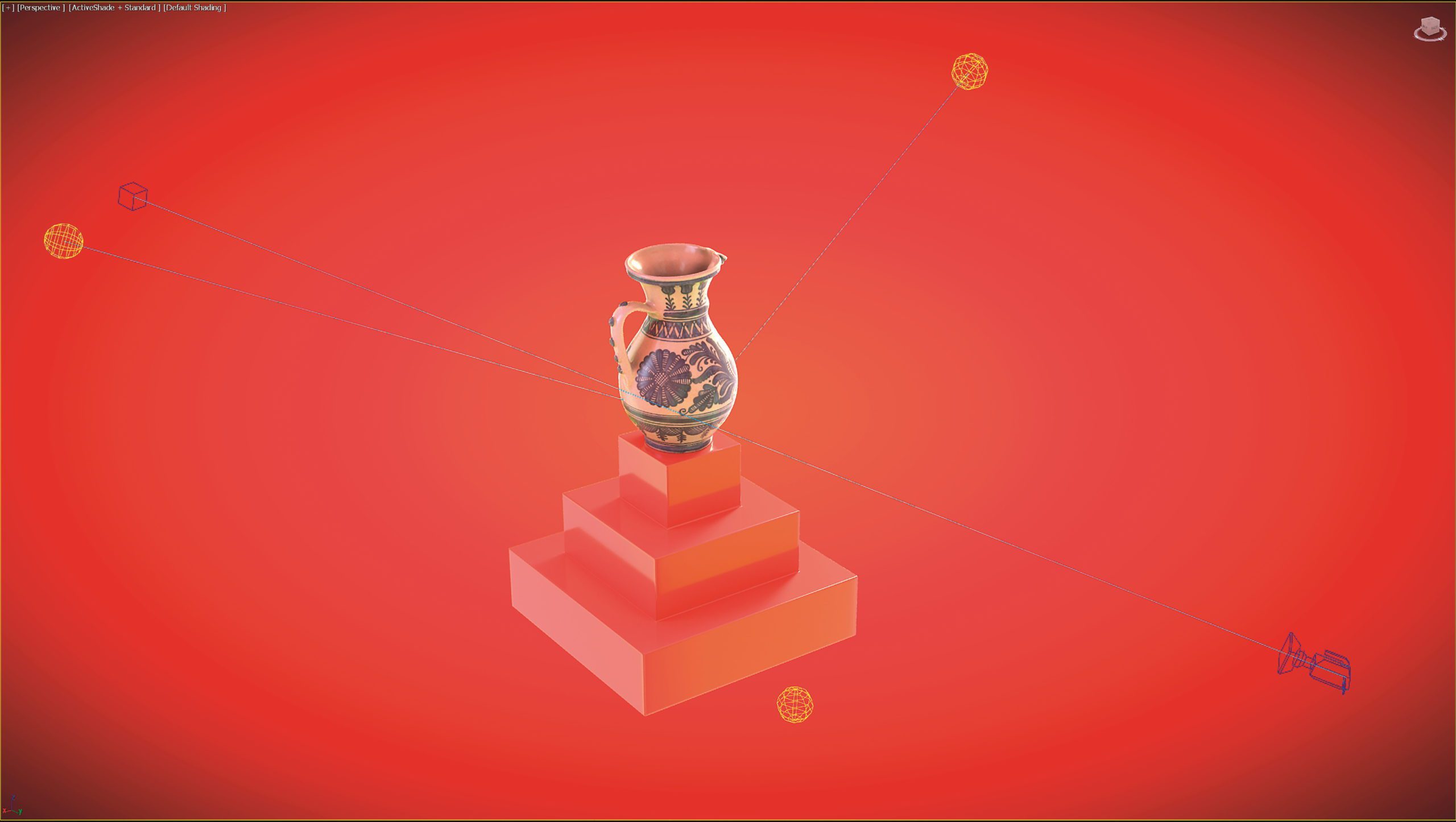
Set up the studio
To avoid having to set up the film or photo studio manually, it is possible to select an HDR photo for the global scene lighting via the previously set Skydome light type. Put simply, an HDR photo is a 360-degree panorama that contains significantly more information than a conventional photo – usually 32 bits of information per pixel per colour channel. In short: images with a large dynamic range that generate significantly more realism in rendering. It is also important to leave the HDR texture in the linear colour space at this point.
HDR textures
High-quality, high-resolution and free HDR textures – some even with a background (backplate) – are available from the HDRi Haven portal. In simple terms, the Skydome mode of the Arnold light represents a sphere around the stage that HDR photography uses to illuminate the scene. The sphere is not visible, but it is there. In order for the HDR photo to be used, the “Texture” field simply needs to be activated in the colour and intensity settings of the light and a texture bitmap sampler selected as input. This in turn is instantiated in the material editor (open with the M key) using drag-and-drop so that the environment mapping can be adjusted in the coordinates area in the node settings. In this way, the HDR photo is correctly aligned in the 3D scene. In the settings of the bitmap sampler node, there are also setting options within the coordinates area to move and rotate the texture in order to find the suitable environment for the object to be imported.
Import
The next step is to import the desired object and position it in the centre of the 3D space. To ensure that the space around the object does not remain empty, the HDR photo can also be used as a background image – in the event that no backplate is available. To do this, simply tick the “Light Shape Visible” option in the light settings.
[caption id="attachment_77011" align="alignnone" width="2560"] Your own stage and lighting system can be realised in your own Arnold scene. An Arnold Spherical Cam is required for the rendering
The previously mentioned customisation options (U, V, Angle) can be used to determine a suitable position for the HDR photo as a backplate. Alternatively, another texture bitmap sampler can be created in the material editor and equipped with a desired background photo (backplate). The background photo can be an existing stage or a scene of your choice. To ensure that the object can be connected to the backplate as realistically as possible, a shadow catcher object must first be created – in the Arnold context, a shadow matte object. This is a geometry that is strategically placed in the 3D scene, in this case under the object, and picks up shadows from the different lighting sources. To do this, a new geometry in the form of a surface (grid) must be placed under the object. A Shadow Matte Node is then created in the Material Editor, which can be found in the Node menu under Maps > Arnold > Surface. The Shadow Matte Node is then connected to a Map to Material Node. The latter can be found under Materials > Arnold > Utilities. The Shadow Matte Node is interpreted as a texture that cannot be used directly as a material and must therefore first be converted to a material. The Map to Material Node is connected to the polygonal surface and now records the shadows of the ambient light on the basis of an HDR photo.
Camera
A perspective camera can now be created, which has the advantage of adjusting physical camera settings to refine the visual result. For the sake of simplicity, a suitable position can be taken in the viewport and the key combination Ctrl C pressed. This initiates the automatic creation of a Perspective Advanced Camera, which is also linked directly to the viewport. If the ambient light based on the HDR photo is not sufficient for certain lighting effects, then Arnold Light objects must once again be created in the 3D scene and positioned favourably to support the visual effect, but this time of a different type such as “Quad” (also called Area Light across all software). The different light types provide artists with enough tools to skilfully stage digital twins.
Efficient and economical
The stage set-up mentioned above is the most economical set-up. The ambient lighting comes from an HDR photo – also important for the reflections, which are given more detail as a result. The actual stage is based on a background photo in which an object is embedded. The scene composition could now be extended even further. The HDR photo is ultimately a photo that comes from a library. New jobs could be created in agencies that deal purely with the creation of virtual studios and stages.
Put simply, artists create 3D scenes to serve as a background and lighting source and generate an HDR texture from them. The Perspective Advanced Camera simply needs to be replaced with an Arnold Spherical Camera in the scenes – this can be found in the Create Panel under the “Cameras” tab and the selection of Arnold-specific cameras. The artists should render their stages and update the Bitmap Texture Sampler in the main project. The new stage appears around the object – if necessary, the stage artists can render a backplate at the same time – and the stage replacement is complete. On a smaller scale, individual artists can create a stage procedurally in their own material editor. All Arnold nodes can be used for this purpose.
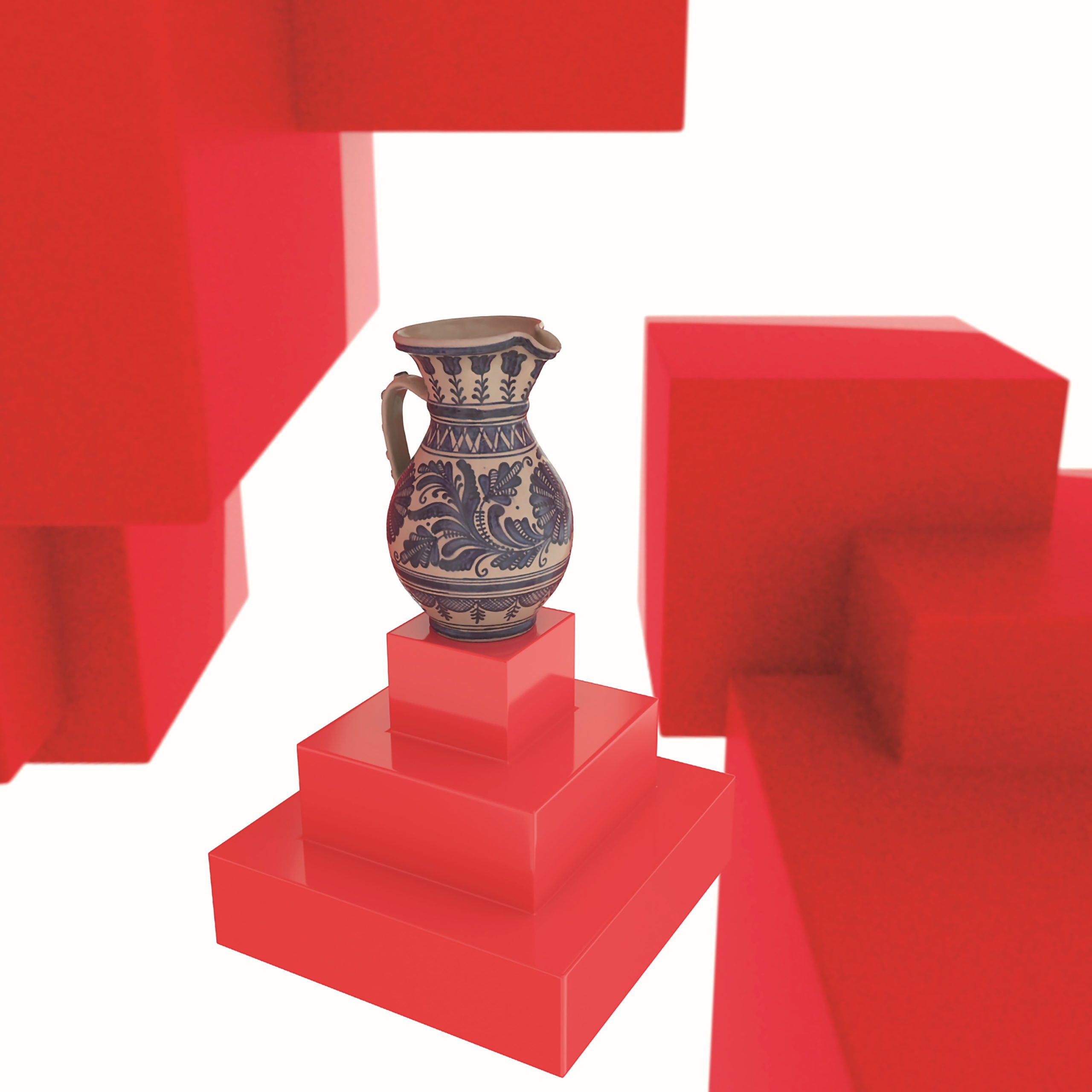
To give the object its final appearance, the standard surface mentioned at the beginning must be integrated – this can be found under Materials > Arnold > Surface. The physical processes mentioned at the beginning are superimposed accordingly.
The respective PBR textures only need to be assigned to the physical behaviour. The albedo map contains the diffuse reflection or rather the pure colour information of the digital twin without light and shadow information in the texture. There is also the option of applying a normal map. The normal map contains small and medium-sized details that are present on the original but are not present as geometric details on the digital twin in order to keep the number of polygons as economical as possible in terms of performance.
The original geometry is transferred to a texture in the form of normals, which adjusts the shading on the object according to the fine details. The normal map is usually imported via a bitmap texture sampler object, which must first be linked to an Arnold normal map node before the normal map node is linked to the normal input of the over-material.
All relevant setting options of a normal map are made available in the intermediate stage, such as the inversion of the green colour channel to invert the alignment of the details, or the visual effect can be reduced and increased using a multiplier. The albedo texture is linked to the base colour input of the over material.

The Roughness parameter for the texture of the same name is stored in the Specular Reflection field. The same parameter field also contains the Metalness parameter, which is linked to the metallic texture if necessary. All textures do not simply have to be used in the conventional way; rather, it is advisable to refine the visual appearance of the objects with a composition of different nodes. The over-material can then be saved as a blueprint and called up for further digital twins.

1 comment
Comments are closed.